The best newsletter platforms offer tools to create, send, and manage email campaigns. They help build subscriber lists, segment audiences, and track engagement. Key features include email builders, automation, analytics, and integrations.
Choosing one depends on your budget, technical skill, and list size.
Understanding Newsletter Platforms
So, what exactly are newsletter platforms? Think of them as your personal email assistant. They are software tools designed to help you send emails to a group of people.
This group is your subscriber list. You might call them your fans, your customers, or your community.
These platforms do a lot more than just send emails. They help you build that list in the first place. They give you tools to make your emails look good.
And they tell you if people are actually reading them. It’s like having a whole marketing team in one simple package.
Many people think sending emails is just about typing and hitting send. But when you want to reach many people, it gets complicated fast. You need to make sure your emails don’t look like spam.
You need to know who is opening your emails. You want to send different messages to different groups of people. This is where a good newsletter platform becomes your best friend.
Why Your Content Needs a Direct Line: My Own Email Awakening
I remember when I first started my blog about home gardening. I was so proud of my articles. I’d spend hours researching the best soil mixes and perfect watering schedules.
Then, I’d post them and wait. And wait. Crickets.
It felt like I was talking to myself in my own backyard.
One day, a friend asked if I had an email list. I’d heard of them, of course. But it seemed like a lot of work.
I imagined complicated sign-up forms and tricky email software. My brain felt tired just thinking about it. Still, her words stuck with me: “You’re giving away your best advice for free, but not everyone will find it on their own.”
That night, I decided to try setting up a simple email signup on my blog. I chose a platform that looked easy. It took me maybe an hour to get a basic form on my site.
Then, I wrote my first newsletter. It was just a quick note about a new article I’d published, with a friendly greeting. I hit send, and within minutes, I got my first reply.
Someone asked a question about the article! It was a small thing, but it felt huge. I wasn’t talking to myself anymore.
I had a direct chat happening. That was the moment I truly understood the power of an email list.
Choosing Your Platform: Key Factors
List Size: How many subscribers do you have now? How many do you expect soon?
Budget: Many platforms offer free plans for beginners. Paid plans scale with your list size and features.
Ease of Use: Do you need a drag-and-drop editor, or are you comfortable with code?
Features Needed: Automation? A/B testing? Landing pages?
Advanced analytics?
Integrations: Does it connect with your website, e-commerce store, or other tools?
Popular Newsletter Platforms at a Glance
There are many great platforms out there. Each has its own strengths. Let’s look at some of the most popular ones.
We’ll talk about what makes them stand out.
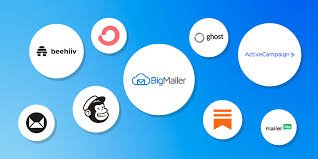
Mailchimp: This is one of the most well-known. It’s great for beginners. It has a visual email builder.
You can also build landing pages. Their free plan is good for up to 500 contacts. It’s very popular for small businesses and creators.
MailerLite: Many people love MailerLite for its user-friendly design. It offers a robust free plan for up to 1,000 subscribers. It has good automation features even on the free plan.
It’s a strong contender if you want a lot of features without high costs.
ConvertKit: This platform is built for creators. Think bloggers, YouTubers, and artists. It has strong automation and tagging features.
This helps you send very targeted emails. It’s a bit more advanced but very powerful for those who need it.
Constant Contact: This is another long-time player. It’s known for its ease of use and good customer support. They offer event marketing tools too.
It’s a solid choice if you value simple setup and help when you need it.
Sendinblue (now Brevo): This platform offers a lot more than just email. It also has SMS marketing and chat tools. Its free plan is generous with 300 emails per day.
It’s a good all-in-one marketing solution for many small businesses.
ActiveCampaign: If you need powerful automation and CRM (Customer Relationship Management) features, ActiveCampaign is a top pick. It’s more complex and usually comes with a higher price tag. But for serious marketers, it’s incredibly effective.
Quick Scan: Free Plan Limits
| Platform | Free Plan Contact Limit | Free Plan Email Limit |
|---|---|---|
| Mailchimp | 500 | 1,000 per month |
| MailerLite | 1,000 | 12,000 per month |
| Brevo (Sendinblue) | Unlimited | 300 per day |
| Mailjet | Unlimited | 200 per month |
| Omnisend | 250 | 500 per month |
Deep Dive: Features That Make a Difference
Okay, so we’ve seen the names. But what do these platforms actually do that helps you connect with people?
Email Builders: This is how you create your actual email. Most platforms offer drag-and-drop editors. You pick elements like text blocks, images, and buttons.
Then you drag them onto your email template. It’s much easier than writing code. Some builders are simpler than others.
Mailchimp and MailerLite are known for their user-friendly editors.
Automation: This is a game-changer. Automation means emails are sent automatically based on certain actions. For example, when someone signs up, they get a welcome email.
Or if they click a certain link, they get a follow-up. ConvertKit and ActiveCampaign are powerhouses here.
Segmentation: Imagine you sell both dog food and cat food. You don’t want to send cat food ads to dog owners. Segmentation lets you group your subscribers.
You can group them by interests, location, or past purchases. Then you send targeted emails. This makes your emails more relevant and useful.
Almost all platforms offer this, but some do it better.
Analytics and Reporting: How do you know if your emails are working? Analytics show you open rates, click rates, and unsubscribes. This data helps you improve.
You learn what subject lines grab attention. You see what content people engage with most. Mailchimp offers good basic reports.
Landing Pages: Sometimes you want a dedicated page to collect emails for a specific offer. Many platforms include landing page builders. This means you don’t need a separate tool.
MailerLite and Mailchimp have good options here.
Integrations: Your newsletter platform needs to play well with others. Does it connect to your website builder (like WordPress or Shopify)? Does it link to your CRM or analytics tools?
Check for integrations you need.
Contrast: Normal vs. Concerning Subscriber Growth
Normal Growth:
- Steady, gradual increase in subscribers.
- New subscribers come from your content or promotions.
- Unsubscribe rates are low and consistent.
Concerning Growth:
- Sudden, massive spike in subscribers with no clear cause.
- High unsubscribe rates shortly after sign-up.
- Many new subscribers don’t engage with emails.
- This could indicate purchased lists or bot activity.
My Own MailerLite Moment
I was running a small online shop selling handmade soaps. My website was getting a decent amount of traffic. But sales were slow.
I knew I needed to capture those visitors before they left. I decided to try MailerLite. I had heard good things about its free plan and ease of use.
Setting up my first email automation was a revelation. I created a simple welcome sequence. Anyone who signed up got an email right away.
It introduced my brand and offered a small discount on their first order. It was just three emails, spaced out over a week.
Within a month, I saw a noticeable bump in sales. People who used the discount code were often repeat buyers. I also noticed that the people who went through the automation sequence were more engaged.
They opened my newsletters more often and clicked on links. It wasn’t magic, but it felt close. MailerLite made it simple for me to build that crucial first relationship with new customers.
Real-World Scenarios: Who Uses What and Why
Let’s picture a few different people and see which platform might fit them best. These are based on real needs I’ve seen and heard about.
The Hobby Blogger: Sarah writes a blog about vintage recipes. She has a small but loyal following. She doesn’t have a big budget.
She needs an easy way to send out her weekly newsletter with links to new recipes. She also wants to collect emails without a lot of fuss.
Best Fit: MailerLite or Mailchimp (free plan). They are simple to use and have generous free tiers. The drag-and-drop editors make creating nice-looking emails easy.
The E-commerce Store Owner: David sells handmade jewelry online. He wants to send promotional emails about new collections. He also needs to send abandoned cart reminders.
He needs automation and the ability to segment customers based on what they buy.
Best Fit: ActiveCampaign or ConvertKit. These offer powerful automation and segmentation. They integrate well with e-commerce platforms like Shopify. While more expensive, the return on investment from targeted sales emails is high.
The Course Creator: Maria creates online courses on digital art. She wants to build a community. She needs to send updates, share free tips, and promote her courses.
She needs to tag students and leads based on their interests.
Best Fit: ConvertKit. Its tagging and segmentation features are perfect for managing different student groups and interests. The automation helps nurture leads into customers and students into engaged community members.
The Small Business Consultant: John offers business advice to local shops. He wants to share industry news and tips. He needs a professional-looking email and good deliverability.
He also wants to track which of his emails lead to client inquiries.
Best Fit: Constant Contact or Brevo (Sendinblue). Constant Contact offers great support and ease of use. Brevo provides a good mix of email and other marketing tools at a reasonable price point, with a solid free plan to start.
Myth vs. Reality: Email Marketing
Myth: Email marketing is dead. Social media has replaced it.
Reality: Email marketing has one of the highest ROIs of any marketing channel. It offers a direct line to your audience, independent of algorithm changes.
Myth: You need a huge email list to see results.
Reality: A small, engaged list is often more valuable than a large, unengaged one. Focus on quality over quantity.
Myth: Building an email list is too hard and technical.
Reality: Modern newsletter platforms make list building and emailing very accessible, even for beginners.
What This Means for You: Making the Choice
Understanding these platforms is the first step. The next is figuring out which one fits your specific needs. Don’t get overwhelmed by all the options.
Think about your current situation and your goals.
Start Small if You’re New: If you’re just starting out, a free plan from MailerLite or Mailchimp is an excellent way to learn. You can test the waters without any financial risk. You’ll get a feel for how email marketing works.
Prioritize Ease of Use: If technology makes you nervous, focus on platforms known for their simple interfaces. Look for drag-and-drop editors and clear navigation. Customer support can also be a lifesaver.
Consider Future Growth: Even if you start small, think about where you want to be in a year. Does the platform offer paid plans that will still be affordable as your list grows? Can you upgrade to more advanced features later?
Test Drive (If Possible): Many platforms offer free trials for their paid plans. Use these to test features that are important to you. See how the email editor feels.
Try setting up a simple automation. This hands-on experience is invaluable.
Don’t Overbuy Features: It’s tempting to get a platform packed with every possible feature. But if you’re not going to use them, you’re just paying for complexity. Stick to what you need now, and what you’ll realistically use soon.
Quick Tips for Email Success
Once you choose a platform, how do you make your emails work? Here are a few simple guidelines.
- Consistency is Key: Send emails regularly. Whether it’s daily, weekly, or monthly, stick to a schedule. Your subscribers will learn to expect it.
- Write Great Subject Lines: This is your first impression. Make it count! Be clear, intriguing, or offer value.
- Provide Value: Every email should offer something useful. It could be information, entertainment, or a special offer.
- Keep it Simple: Don’t try to cram too much into one email. A clear message is easier to understand and act on.
- Proofread Carefully: Typos and grammatical errors can hurt your credibility. Read your email aloud before sending.
- Make it Easy to Unsubscribe: This might seem counterintuitive, but it’s important. A clear unsubscribe link builds trust. If people can’t find it, they might mark you as spam, which hurts everyone.
Frequently Asked Questions About Newsletter Platforms
What is the best newsletter platform for beginners?
For beginners, MailerLite and Mailchimp are excellent choices. They offer user-friendly interfaces, drag-and-drop email builders, and generous free plans to get started without financial commitment.
Can I start sending newsletters for free?
Yes, absolutely! Many platforms like MailerLite, Brevo (Sendinblue), and Mailchimp offer free plans that allow you to start building your list and sending emails. These plans typically have limits on the number of subscribers or emails you can send per month.
How do I grow my email list?
The best ways to grow your list include offering a valuable incentive (like a free guide or discount) for signing up, making signup forms visible on your website, promoting your newsletter on social media, and encouraging existing subscribers to share your content.
What is email automation?
Email automation is when emails are sent out automatically based on specific triggers or actions. Examples include welcome emails when someone subscribes, birthday emails, or follow-up emails after a purchase. It saves time and helps engage subscribers personally.
How often should I send emails?
Consistency is more important than frequency. Decide on a schedule that you can maintain, whether it’s weekly, bi-weekly, or monthly. Your audience will come to expect your emails on that schedule.
Is it hard to make emails look professional?
No, not anymore! Most newsletter platforms provide easy-to-use drag-and-drop editors. You can choose from templates or build your own layout with text, images, and buttons without needing any coding knowledge.
What are LSI keywords and why are they important for newsletters?
LSI (Latent Semantic Indexing) keywords are words and phrases related to your main topic. For newsletters, using related terms helps email platforms understand your content better. This can improve deliverability and ensure your emails reach the right inboxes.
It’s like using synonyms that naturally fit the conversation.
Wrapping Up Your Email Journey
Building a connection with your audience through email is one of the most effective ways to share your message. With the right newsletter platform, it’s also very achievable. Remember to start simple, focus on providing value, and be consistent.
Your readers will thank you for it.